
Kitchen checklists
Opening and closing checklists, done on time.
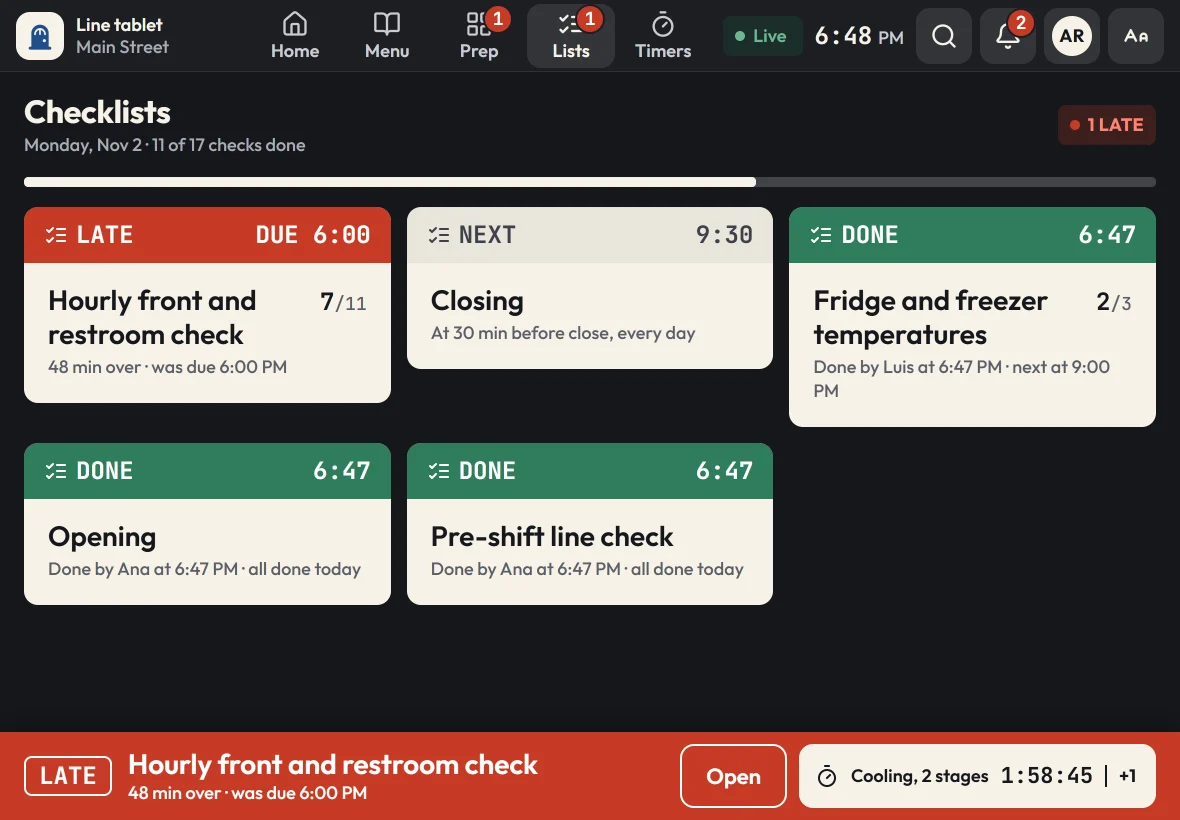
Zatila puts your opening, line-check, cleaning and closing checklists on the kitchen tablet and brings each one up when it's due. Late lists move to the top with a sound the line can hear, and every check carries a name.
30-day free trialNo card neededUnlimited tablets
What is a restaurant checklist app?
A restaurant checklist app puts the routines a kitchen runs every day, like opening, line checks, cleaning and closing, on a tablet with a schedule. In Zatila, each checklist comes due at the times you set for each location; cooks tick the steps, enter readings like a fridge temperature or a pH, and sign with their name; late lists move to the top of every screen; and managers see what was done, when and by whom.
- Schedules
- At open or close, at set times, or every so many minutes
- Late
- Moved to the top of every screen, with a beep
- Each check
- Steps ticked and signed with a name
- Readings
- Temperature or pH, with a corrective action when out of range
- History
- Today's history on the tablet, logs and reports in the admin
The problem
Why kitchen checklists get skipped
Everyone agrees the walk-in should be checked every morning. The hard part is remembering, in the rush, every single day.
A clipboard can't tell time
Paper checklists don't know it's 3 PM. If the hourly check depends on someone watching the clock, it gets missed the moment the line gets busy.
Ticked, but by whom?
A row of check marks doesn't say who did the work or when. When something goes wrong, there's nothing to follow up on.
Every location drifts
When each manager keeps their own binder, the opening list at one location quietly drifts from the next, and you can't see either one from home.
How Zatila handles it
How Zatila keeps checklists on schedule
Lists that know when they're due, which location they belong to and who finished them.
Due now
The late check comes first.
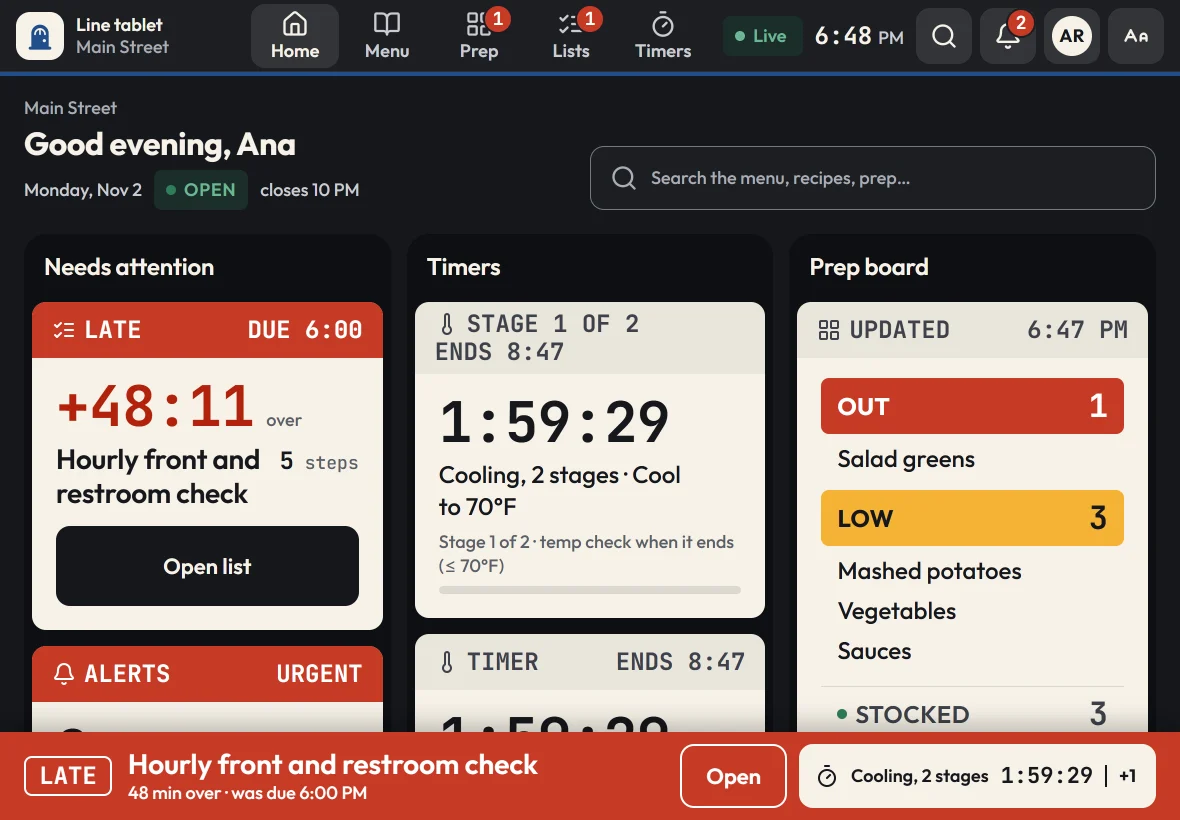
When a checklist comes due, the tablet shows it on the home screen and in a banner at the bottom of every page. If it runs late, it moves to the top of Needs attention with a beep, until someone opens it.
- A due-now banner on every screen
- Steps that record a temperature or pH, with what was done when it's out of range
- Late lists show how far over they are
- Ticks made offline sync when the Wi-Fi is back
Per-location schedules
Built around each location's hours.
Schedules follow each location's opening hours, so the opening list comes up at open and the closing list at close, even when one location opens an hour later than another. Run a list on certain days only, or every 30 or 60 minutes between two times.
- Times like 30 minutes after open or 30 minutes before close
- Assign each checklist to the locations that use it
- A grace period before a list counts as late
For managers
See which checks were done on time.
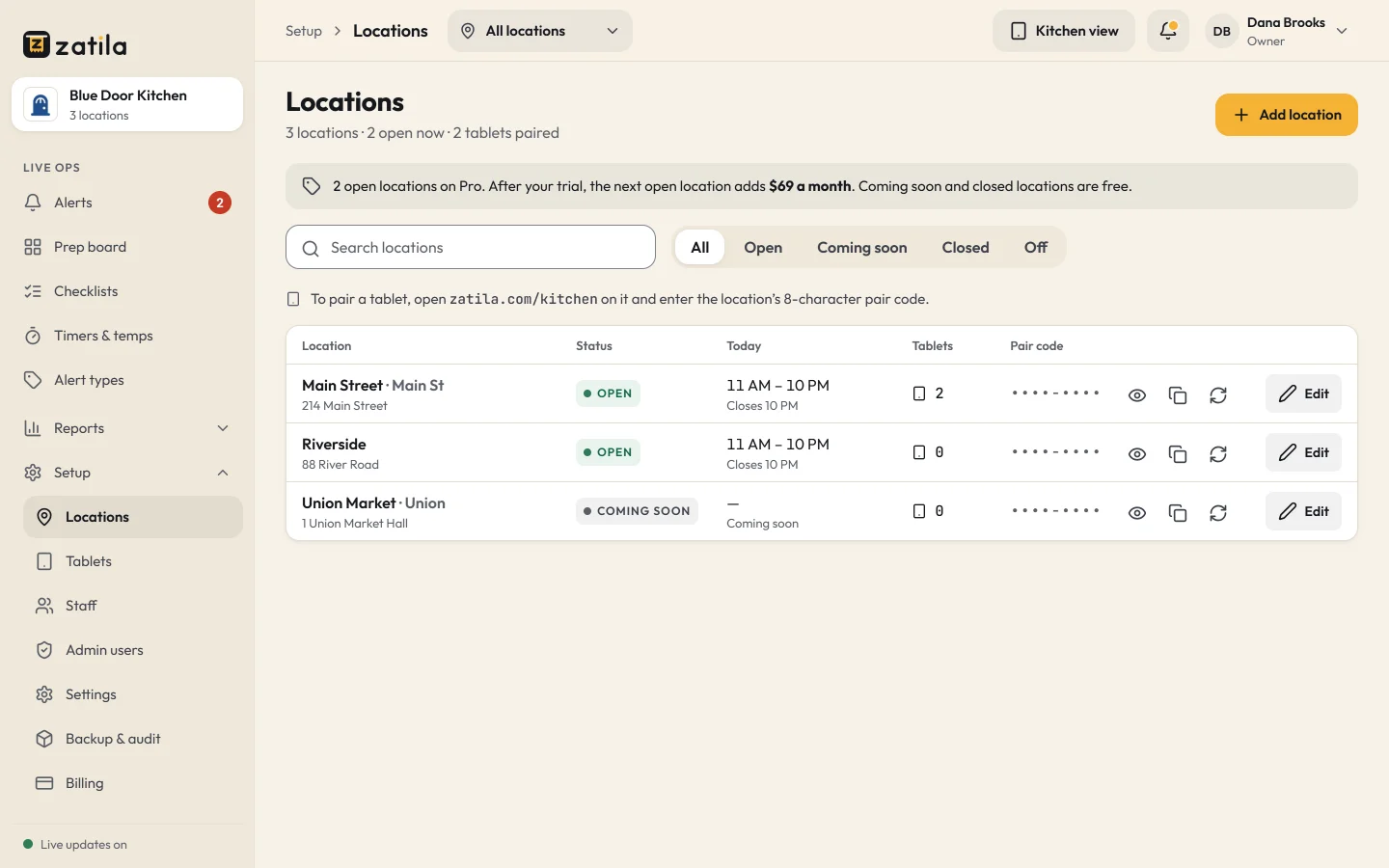
The owner overview shows how many of today's checklists are on time at each location. The checklist log lists every completed check with the time and the name, and reports track checklists over weeks, with CSV downloads.
Pair checklists with food-safety logs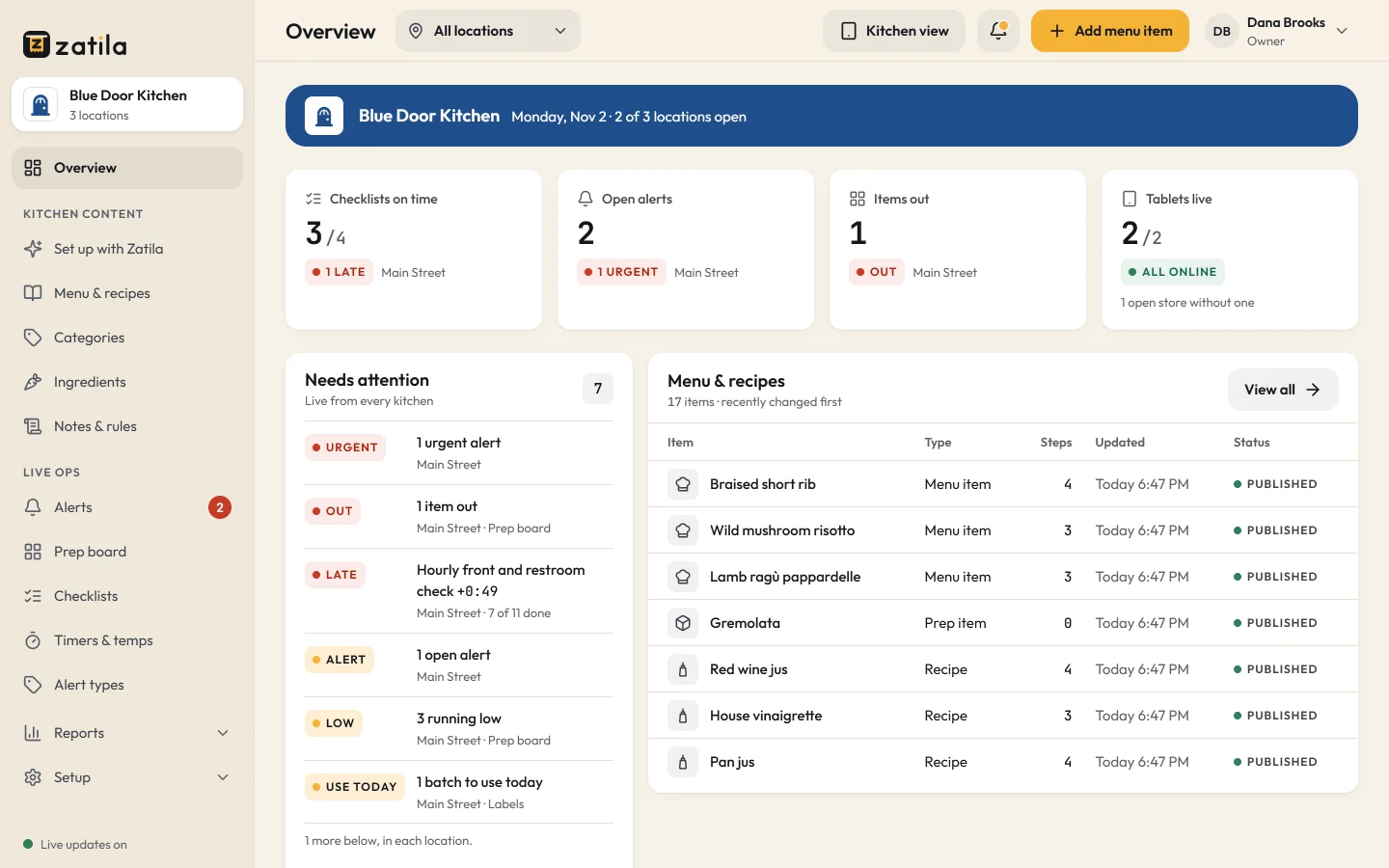
How it works
How checklists work in Zatila
- 01
Upload your lists
Opening and closing sheets, cleaning schedules, line checks: Zatila sets them up as checklists with their steps.
- 02
Set the schedule
Choose when each list is due and at which locations, around each location's hours.
- 03
Cooks tick and sign
Each step is ticked on the tablet and the list is signed with a name.
- 04
Managers follow up
Late and missed lists show in the admin the same day, not at the end of the month.
What goes on a restaurant opening checklist?
Typical kitchen opening checks: equipment on and up to temperature, walk-in and reach-in temperatures, sanitizer buckets set up, stations stocked against par, the prep list reviewed and handwashing sinks stocked. Put yours in Zatila exactly as you run them; each restaurant type starts with example checklists you can change.
What should a kitchen closing checklist include?
Food labeled, dated and stored, hot food cooled properly, equipment cleaned and turned off, floors and drains cleaned, trash out, and the next day's prep needs noted. In Zatila, the closing list comes due at each location's closing time.
Can different locations have different checklists?
Yes. Assign each checklist to the locations that use it, and its schedule follows each location's own hours.
Can a checklist record temperatures?
Yes. Any step can ask for a temperature in °F or °C, or a pH, against a target like 41°F or below. If a reading is out of range, the tablet asks what was done about it before the list can be finished, and every reading goes into the temperature log with the cook's name.
What happens if a checklist is missed?
It stays on the tablet as late, at the top of the screen, with how long it's been overdue. Managers see it in the admin, and the checklist log shows which checks were done and when.
Do we need special hardware?
No. Any recent iPad or Android tablet with an up-to-date browser works, and every plan includes unlimited tablets.
Pricing
Checklists on every plan.
Every plan includes checklists, schedules, logs and unlimited tablets. You pay per open location.
Starter
For one kitchen getting organized.
$39per location
/ month$35 from the 5th location, $29 from the 10th
Start free$390per location
/ year$32.50 a month, billed yearly. $350 from the 5th location, $290 from the 10th
- Menu guides, recipes and the prep guide
- Prep board, checklists and use-by labels
- Food-safety timers with temperature logs
- Unlimited tablets
- Zatila sets up 50 items a month for you
Recommended
Pro
For busy kitchens and growing teams.
$69per location
/ month$59 from the 5th location, $49 from the 10th
Start free$690per location
/ year$57.50 a month, billed yearly. $590 from the 5th location, $490 from the 10th
- Everything in Starter
- Zatila sets up your whole menu, with no monthly limit
Chain
For groups with 10 or more locations.
Talk to usCustom
- Everything in Pro
- Setup help for every location
- Custom terms and invoicing
Coming soon and closed locations are free.
30-day free trial, no card.
Prices in US dollars. Tax is added where it applies.
Keep reading