
Kitchen management software
Everything your kitchen runs on.
Zatila is kitchen management software for restaurants: menu guides, recipes, prep, the prep board, checklists, food-safety timers, labels and alerts, on tablets your cooks can read from across the kitchen. Upload your files, and Zatila sets up everything for you.
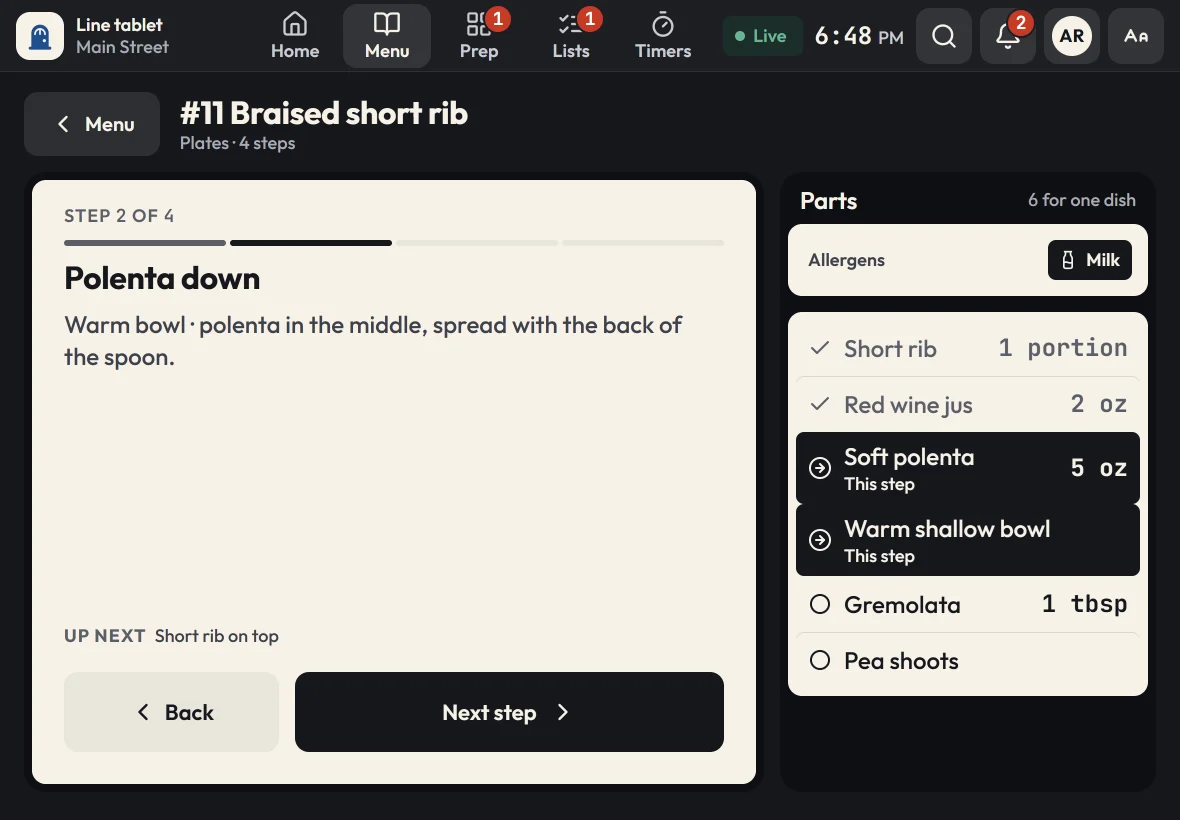
Menu guides
Every dish, one step at a time.
Cooks follow the dish the way you make it: one step per screen, in big type, with the parts and amounts for that step and a photo when you add one.
- Parts and amounts for each step, with the current part marked
- Allergens at the top of every guide, and an allergen chart for the whole menu
- Timers built into the steps that need them
- Sizes like 10, 14 and 18 inch, each with its own portions
- Out of an ingredient? The guide says so on every step
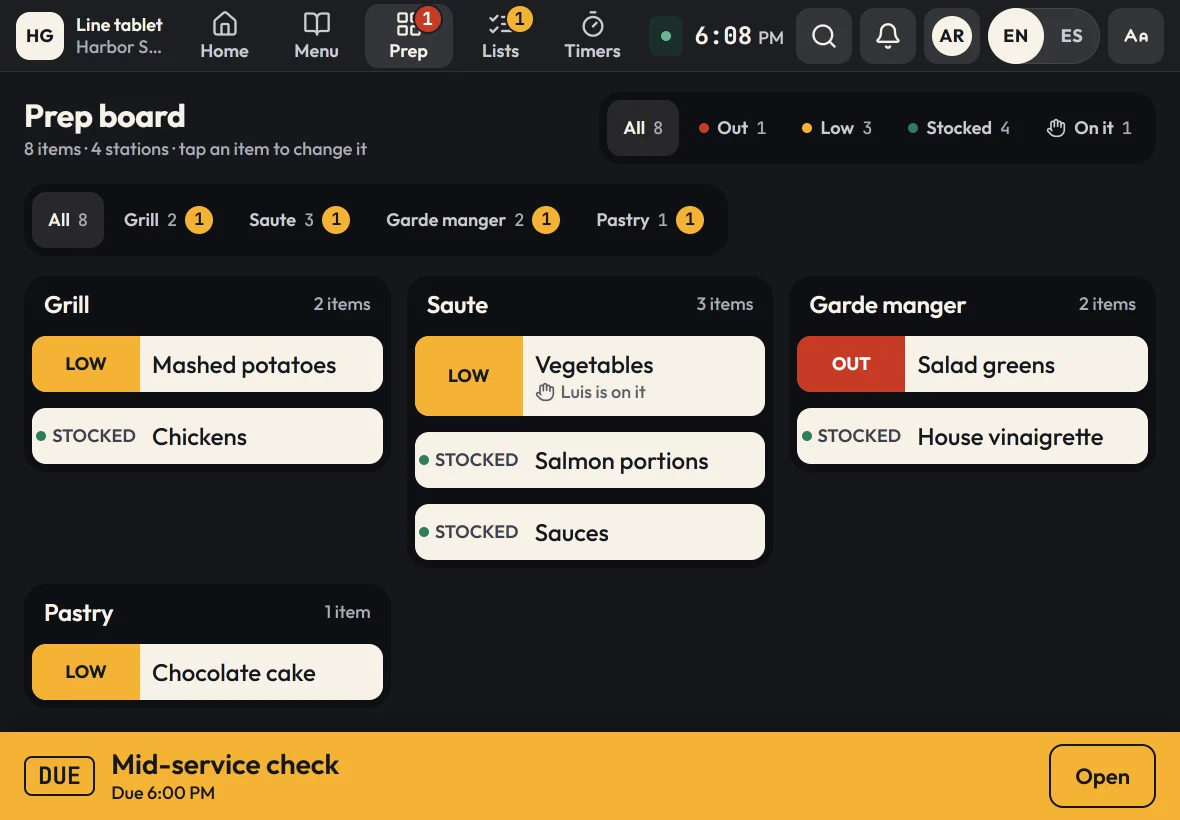
Prep board
Know what's low before the rush.
Every station's items read stocked, low or out, or a count against par. What needs prep rises to the top, live on every tablet in the location.
- Stocked, low and out, or counts like 3 of 4
- "I'm on it" shows who is prepping what
- A different par for each weekday, and a filter for each station
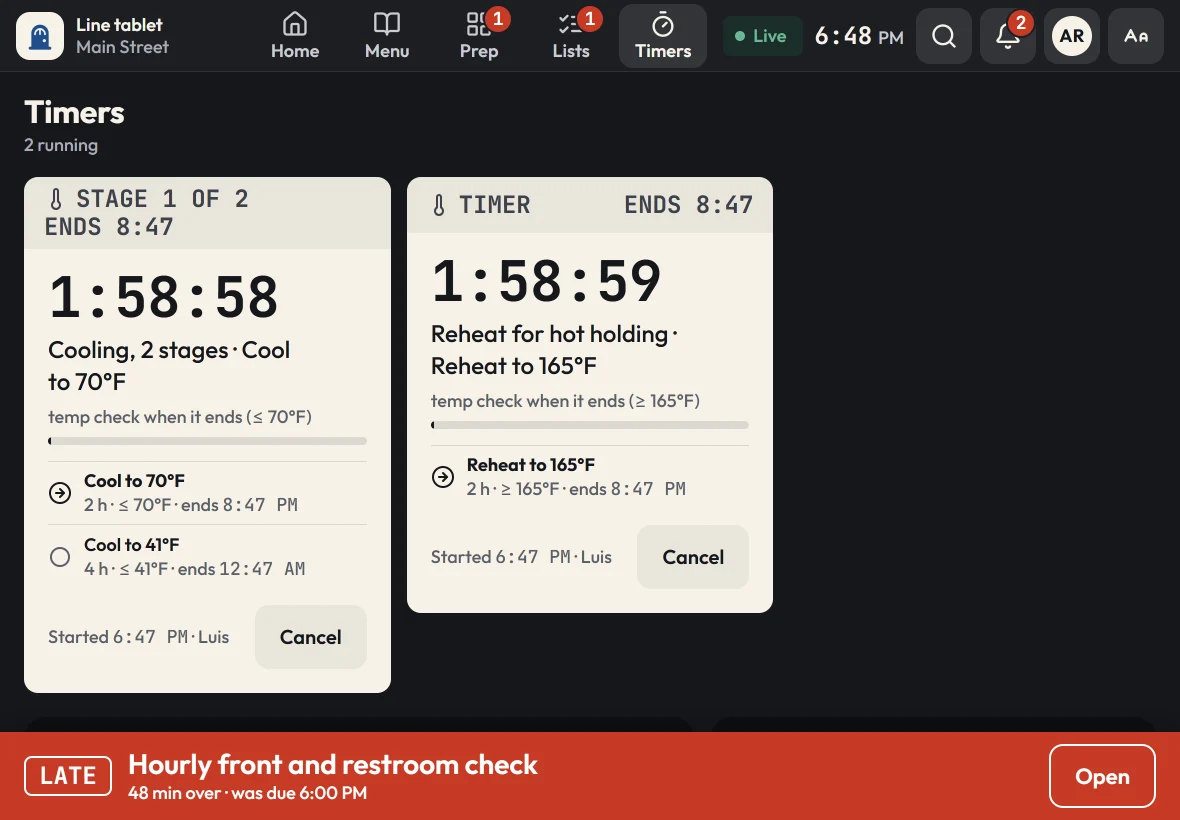
Food-safety timers
Cool it, hold it, log it.
Multi-stage timers for cooling and holding ask for a temperature when each stage ends. A missed or failed check shows the cook what to do next, and it is logged for you.
- Stages like 2 hours to 70°F, then 4 hours to 41°F
- Temperature checks logged with who and when
- Late or failed checks say what to do
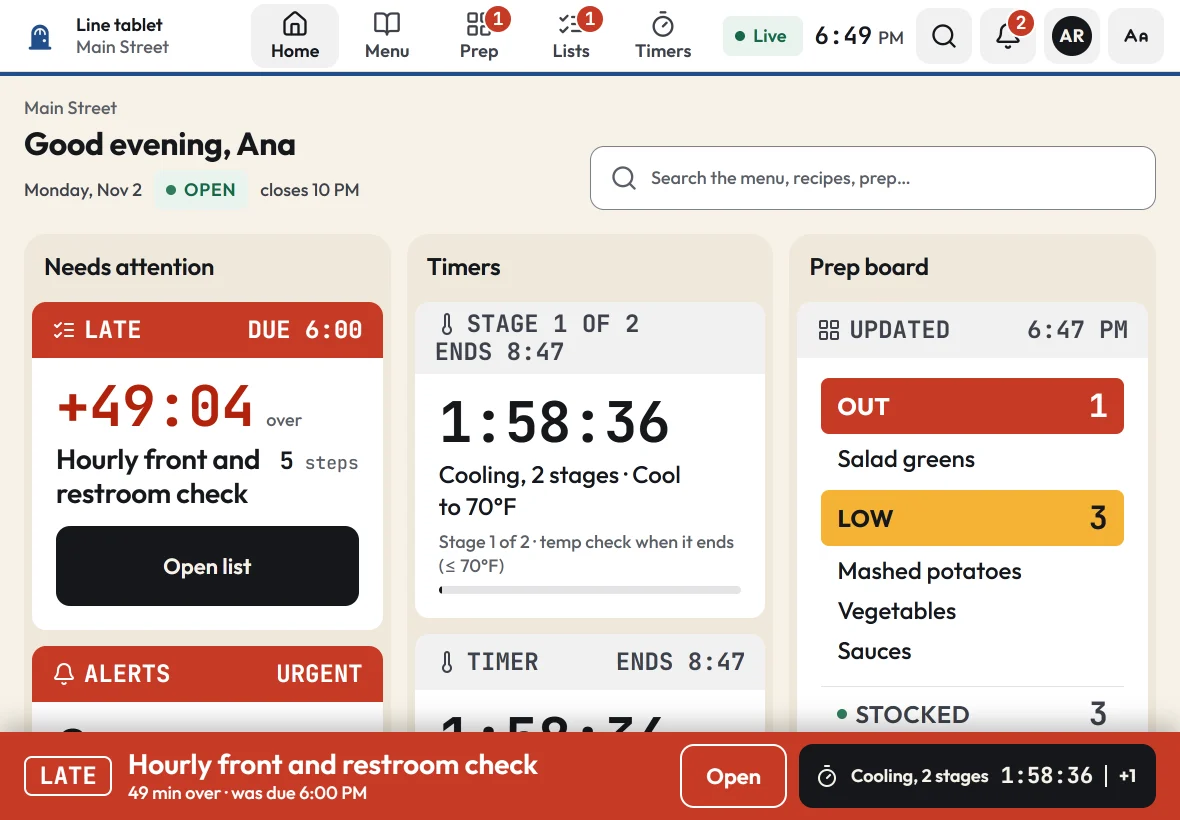
Checklists
On time, every shift.
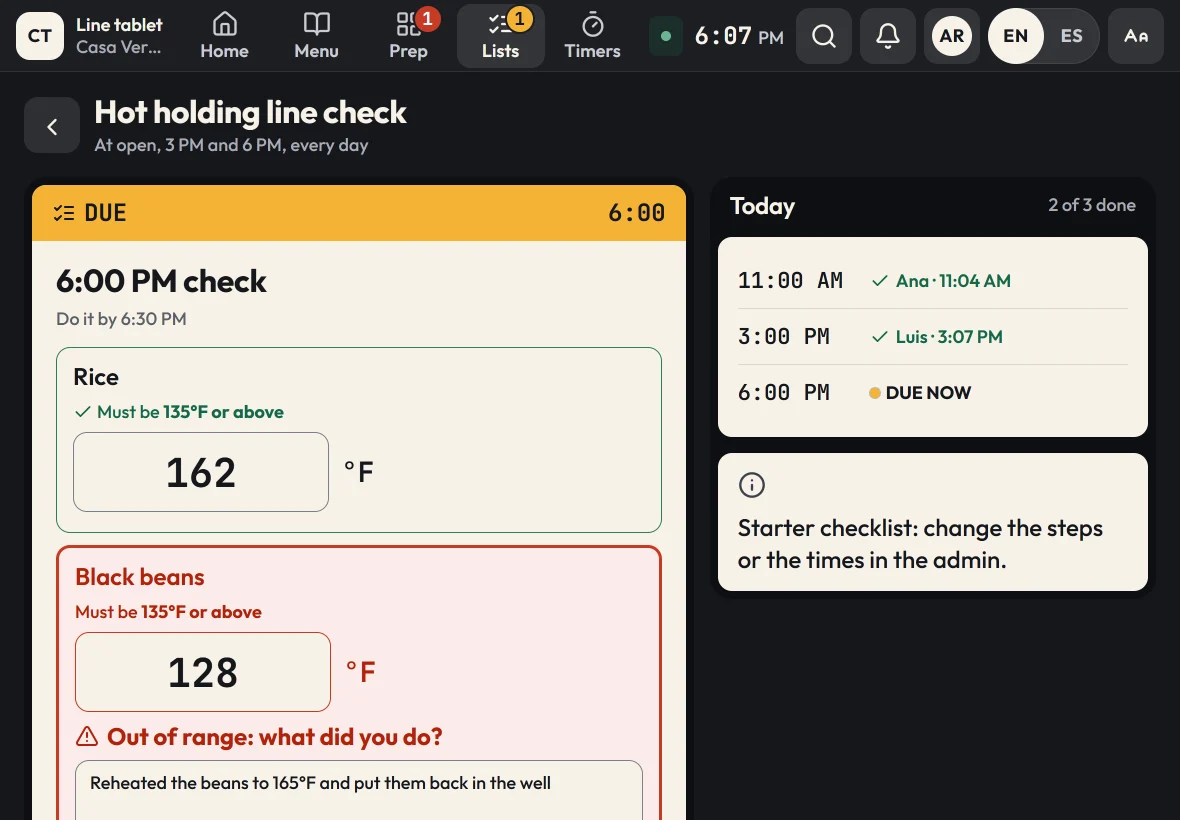
Opening, line checks, cleaning and closing come due at the times you set for each location. Overdue ones move to the top, with a sound the line can hear.
- Schedules that follow each location's hours
- Steps to tick and a name on every check
- Temperature and pH readings, with a corrective action when one is out of range
- Today's history for managers
Prep guide and use-by labels
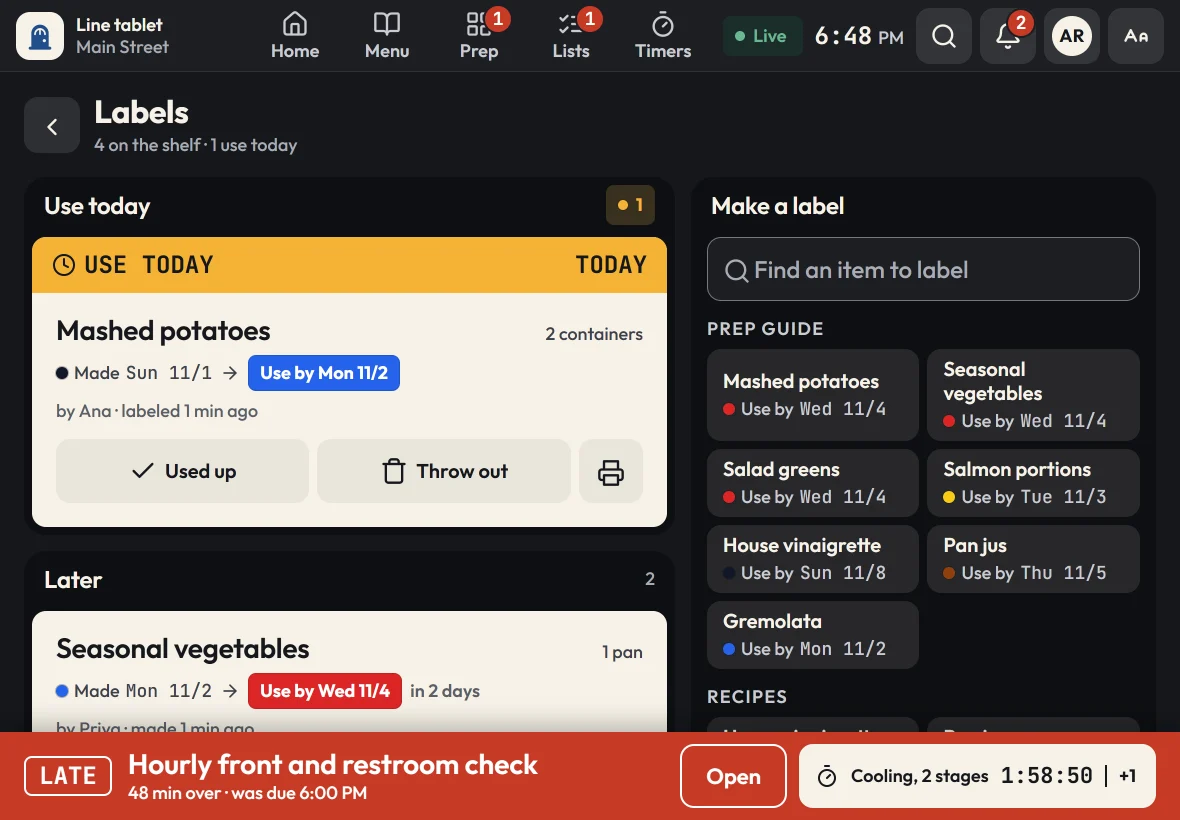
What to use today, and what to throw out.
How to cut it, what to put it in and how long it keeps. Print a use-by label in two taps, with a color band for the day.
- Labels with the item, made date, use-by date and who made it
- A list of what to use today
- Recipes and prep items with their own shelf life
English and Spanish
Your kitchen, in your crew's language.
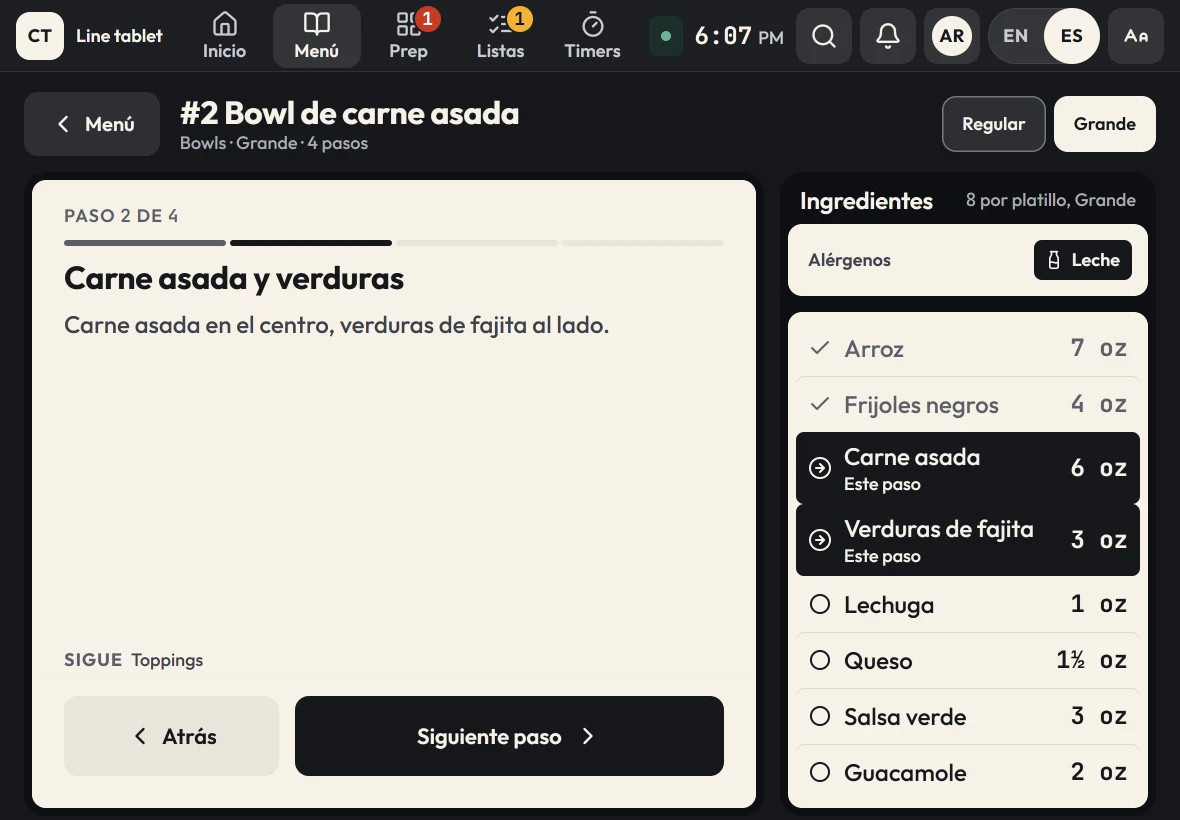
Every kitchen tablet works in English and Spanish. One tap on EN | ES switches the screen, and each tablet remembers its choice. Zatila translates your own menu, recipes and checklists into the everyday Spanish US kitchens use, and you can review and change any line in your admin.
- Every tablet screen, plus your guides, prep, recipes, checklists and timers, in Spanish
- Temperatures, amounts and units stay exactly as you wrote them
- Check and change any translation, or type your own
- Records, reports and your admin stay in English, for managers and inspectors
Owner dashboard and reports
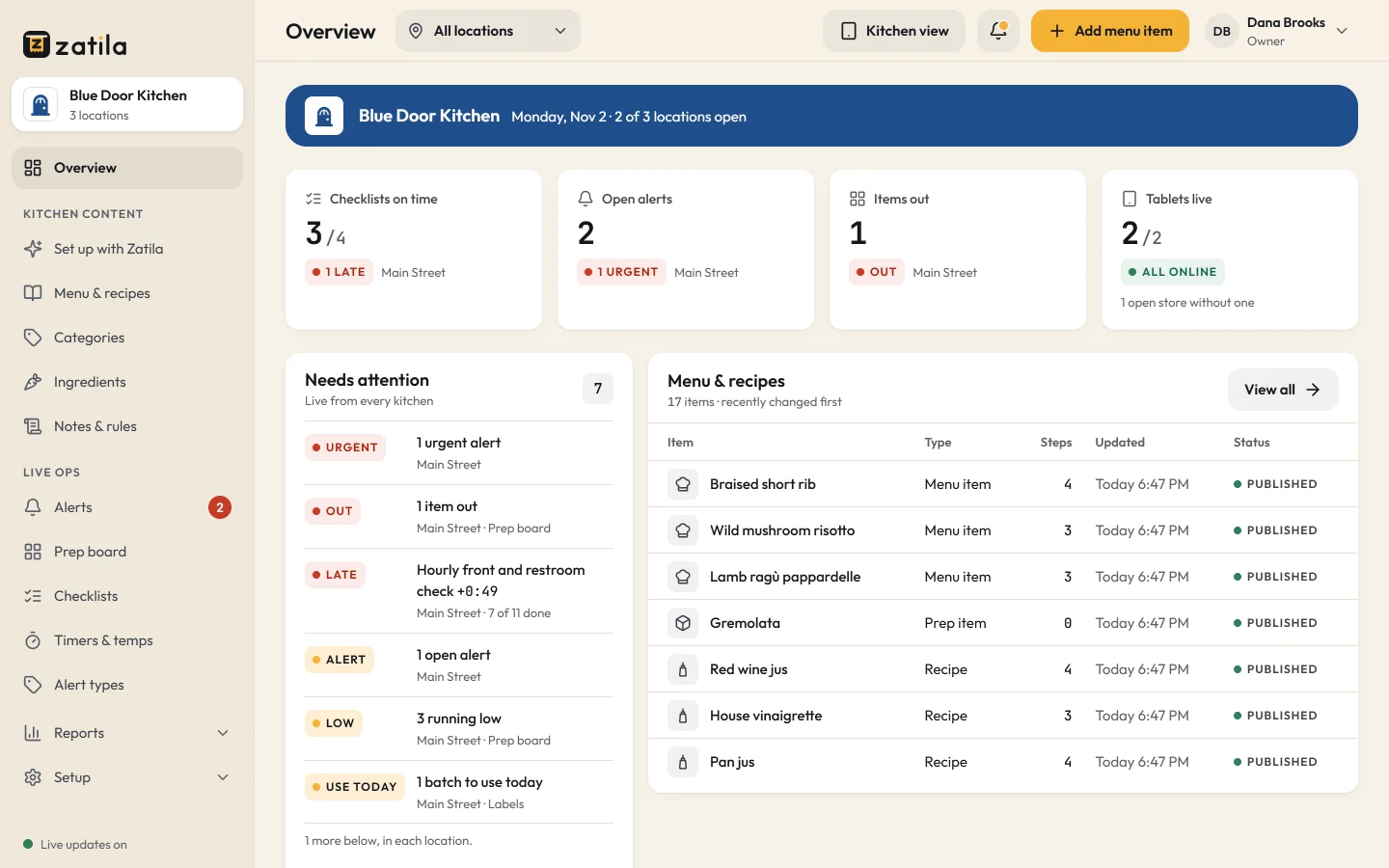
Every kitchen at a glance.
See what needs attention across all your locations as it happens. Change a recipe or a checklist once, and every tablet has it within seconds.
- Live view of checklists, timers, the prep board and tablets
- Reports on alerts, waste, checklists and temperature checks, with CSV downloads
- Staff PINs, manager roles and per-location access
Locations
One kitchen or many.
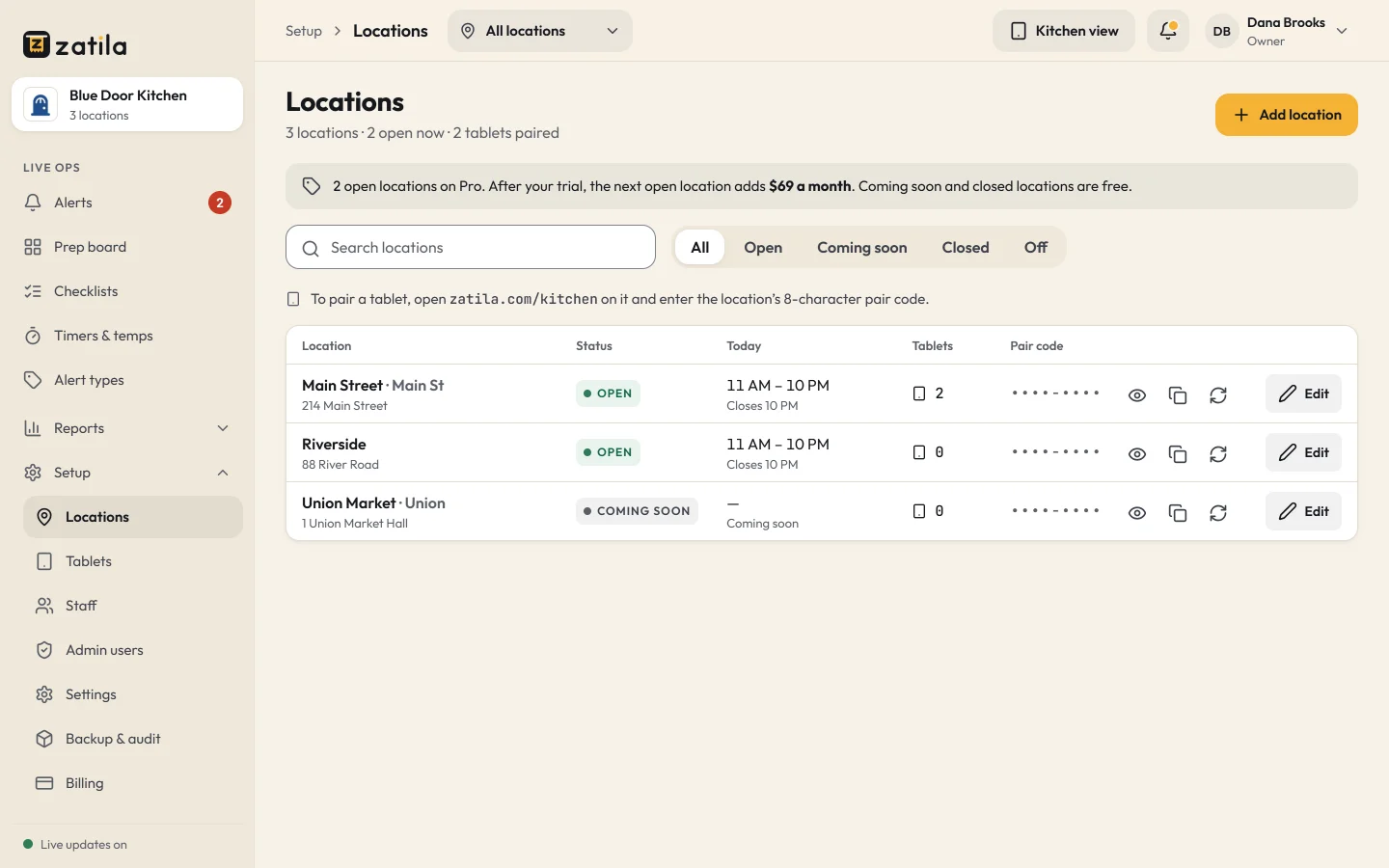
Each location has its own hours, tablets and prep board, and shares your menu. Add the next one before it opens: coming soon and closed locations are free.
- Pair tablets with each location's 8-character code
- Unlimited tablets on every plan
- Open, coming soon and closed, with the price shown as you go
Zatila setup
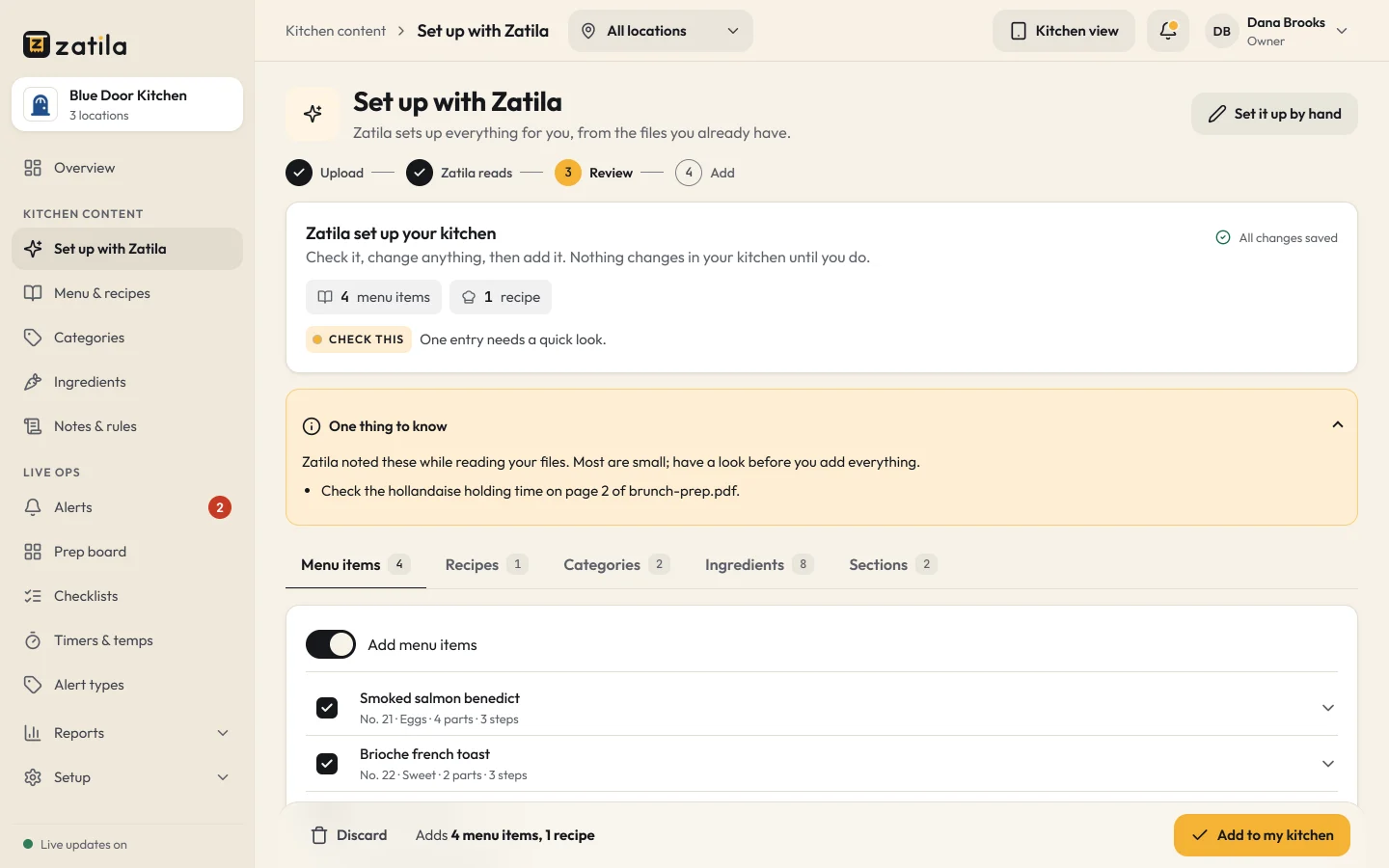
Upload your files. Zatila sets up everything for you.
No retyping recipes into a new system. Send what you already have, review what Zatila prepares, and approve it when it's right. You can also set things up by hand, any time.
- PDFs, photos, Word, Excel and text files, up to 20 at a time
- Everything arrives as a draft: change what you like before your team sees it
- Starter sets up 50 items a month for you. Pro has no monthly limit.
And the rest
The whole kitchen, not just the line.
Recipes with a batch scaler
Scale any recipe from half a batch to four, and every amount updates. Yield, cook-to temperature and storage on every recipe.
Staff alerts
Out of something or a broken fryer? Cooks send an alert in a few taps, and managers see it right away: open, seen and fixed, with names.
Works offline
Guides, recipes and timers keep working when the Wi-Fi drops, with a clear Offline sign. Changes sync when it's back.
Tablets that stay put
Pair a tablet once and it opens straight to the kitchen every time. Any recent iPad or Android tablet.
Staff and roles
Staff PINs for the tablets, and owners, admins and managers in the admin, each with the access they need.
Reports
Alerts, waste, checklists and temperature checks over time, for every location, with CSV downloads.
By kind of restaurant
Kitchen software for your kind of restaurant.
Pick your kind of restaurant at sign-up and start with a menu, prep and checklists made for it. Then make it your own.