
Menu guides
Every dish, one step at a time.
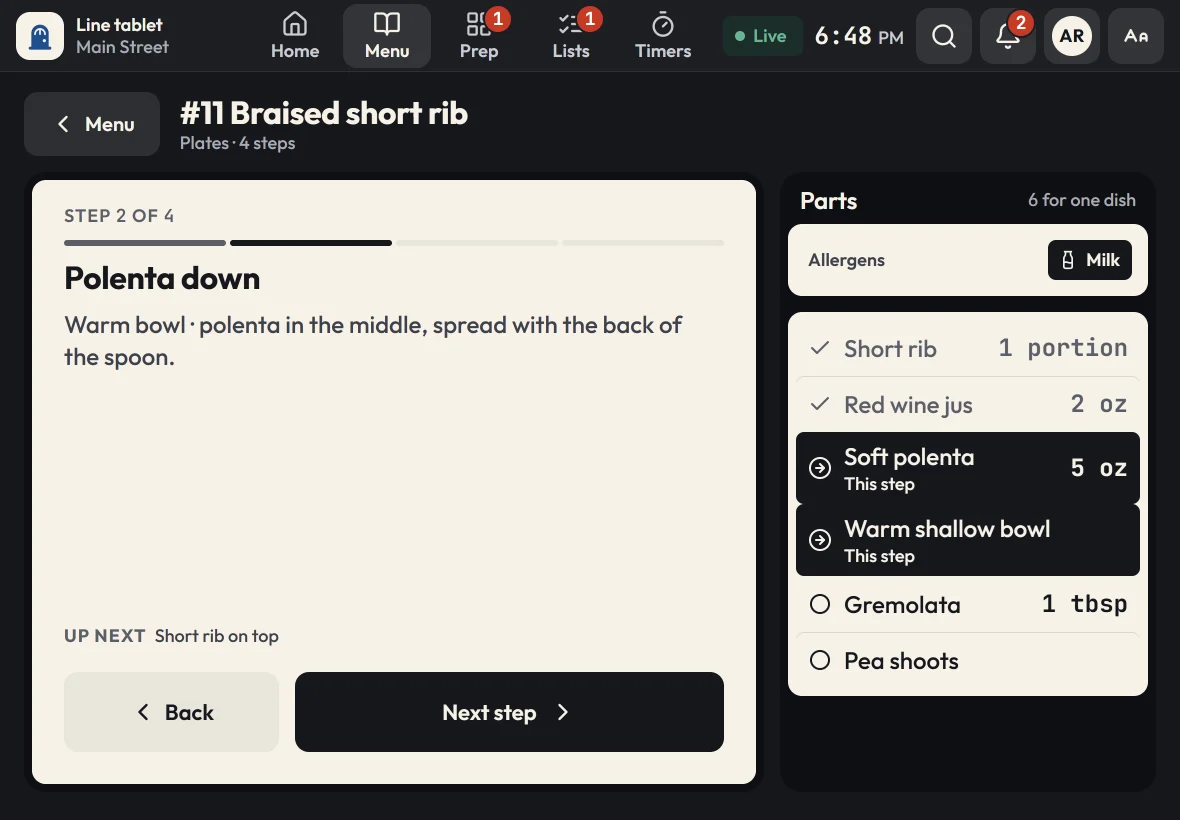
The parts and amounts for each step, the timer built in, and allergens at the top where no one can miss them.
NewUpload your files. Zatila sets up everything.
Step-by-step menu guides, a live prep board, checklists and food-safety timers, on tablets the whole line can read from across the kitchen. Send the files you already have, and Zatila sets up everything for you.
30-day free trialNo card neededUnlimited tablets
How it works
No retyping recipes into a new system. Bring the menus, recipe cards and prep sheets you already use.
Menus, recipe cards, prep sheets, spreadsheets, even a photo of the whiteboard.
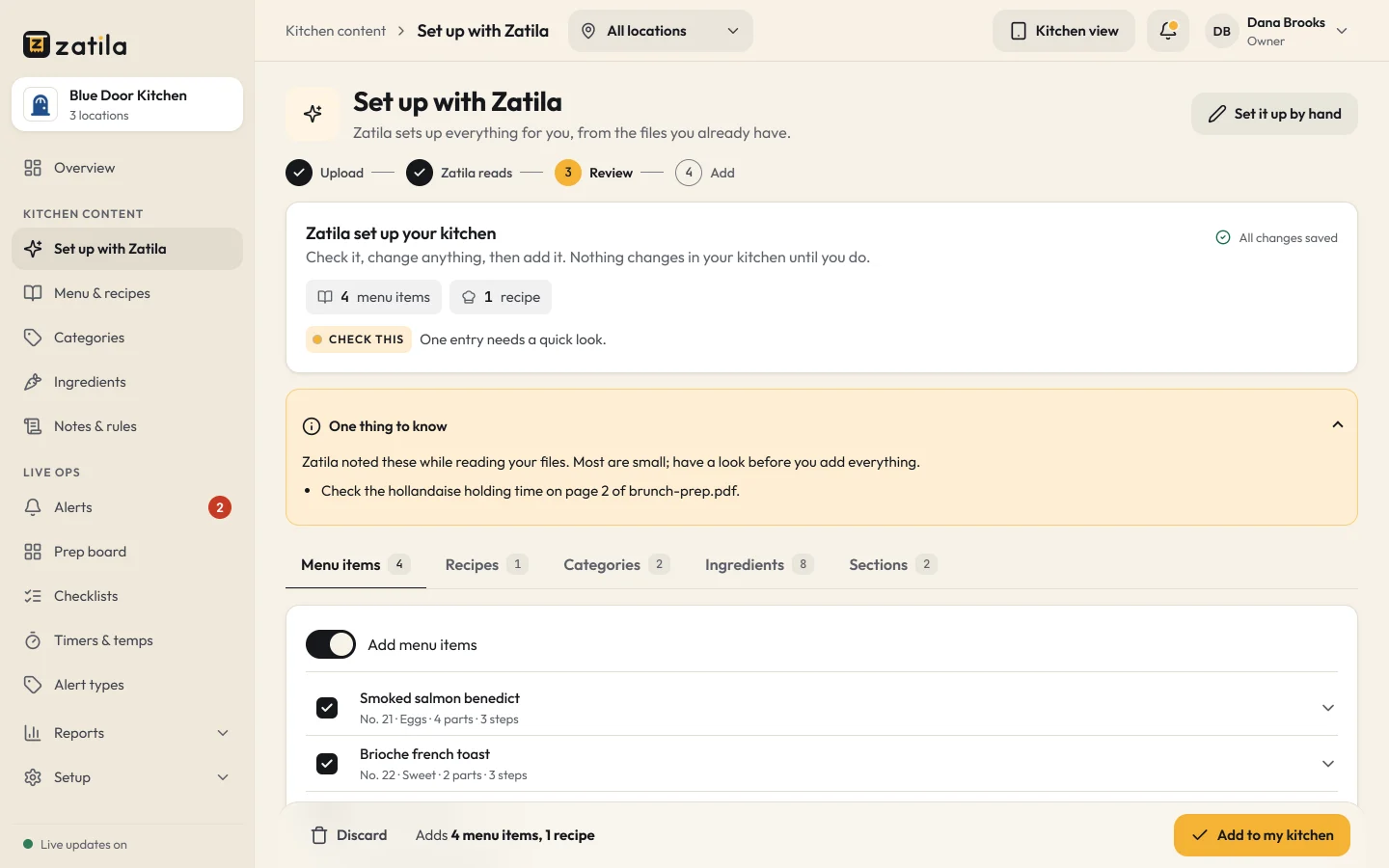
Menu guides, recipes, prep lists, checklists and timers, ready for you to review. Nothing reaches the line until you approve it.
Pair each tablet once with its location's code. Every station sees the same thing, live, even when the Wi-Fi drops.
Built for the line
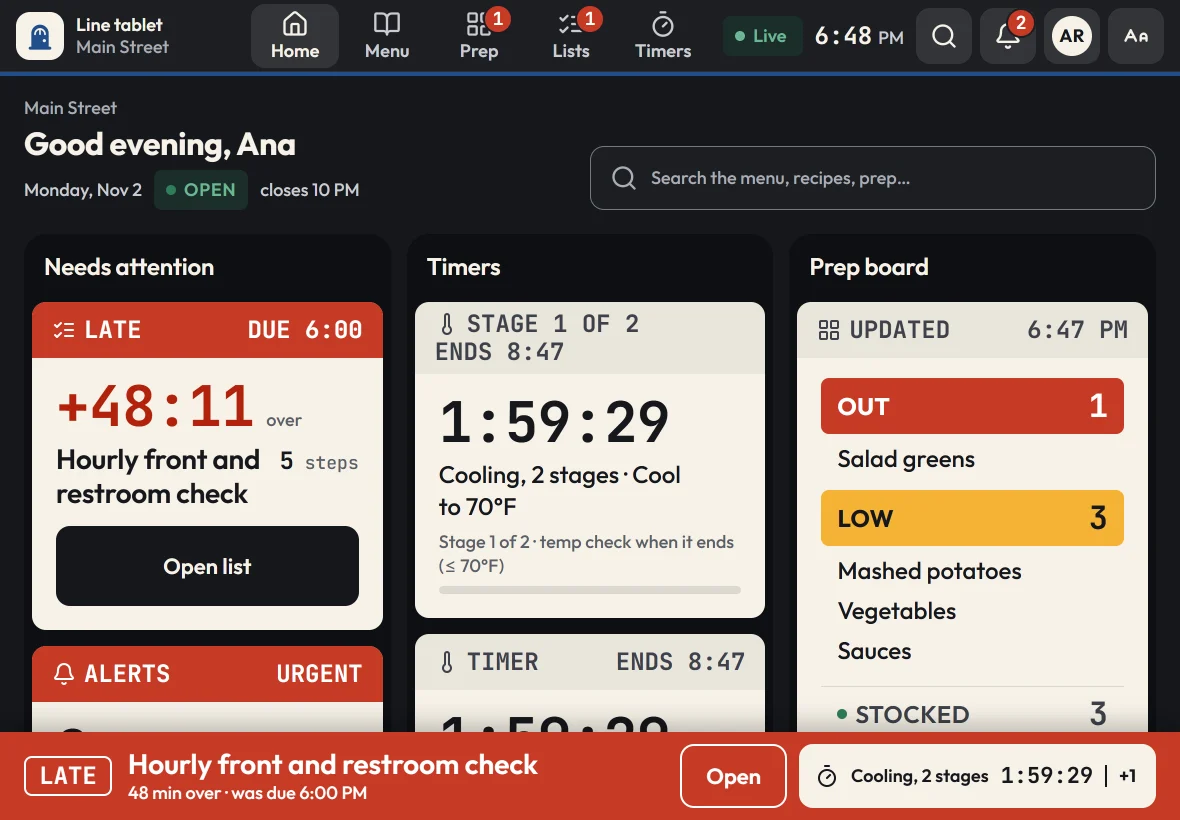
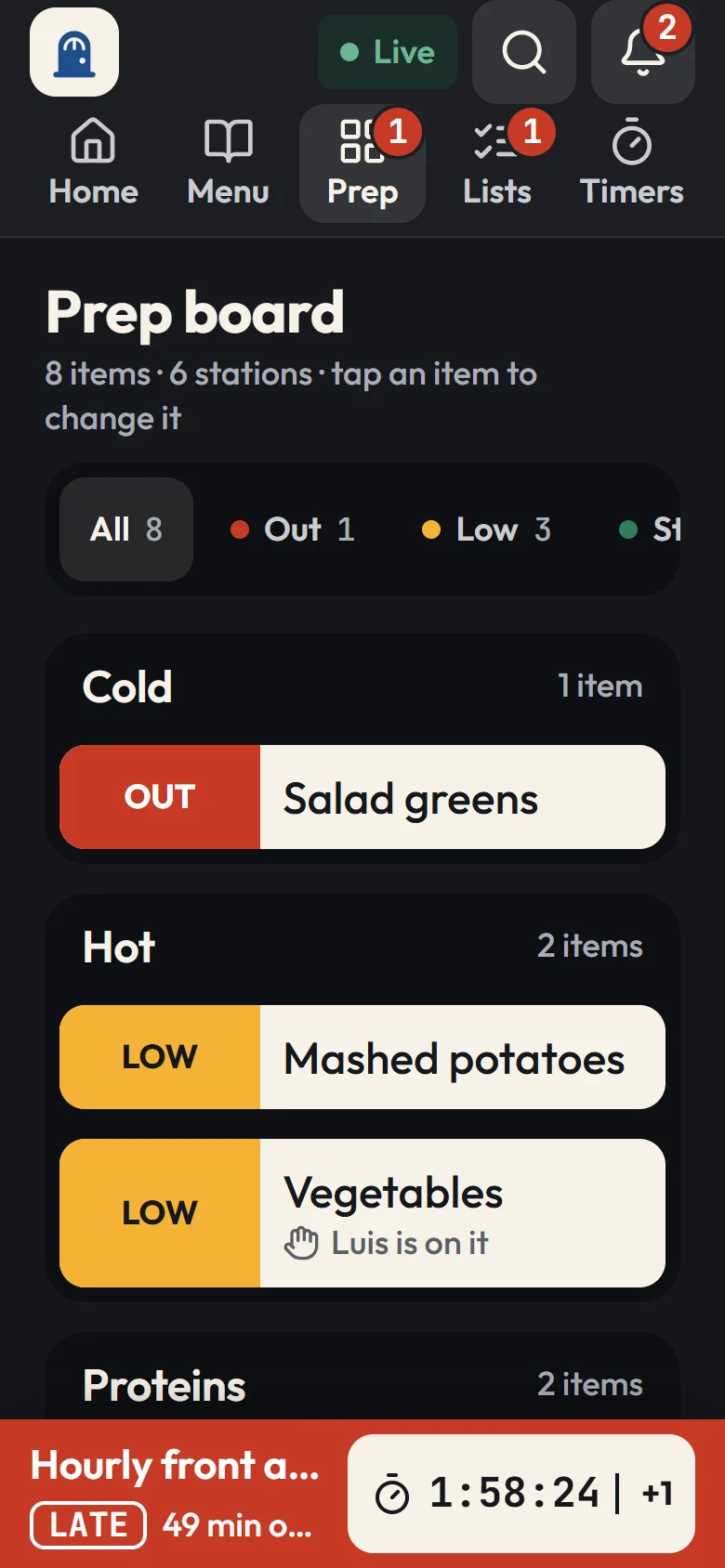
Big type, big buttons and the words cooks already use, in English or Spanish with one tap, on any recent iPad or Android tablet. What's late comes first, on every screen.
Menu guides
The parts and amounts for each step, the timer built in, and allergens at the top where no one can miss them.
Prep board
Food-safety timers
Works offline
Guides, recipes and timers keep working. Changes are saved on the tablet and sync when it's back.
Use-by labels
Checklists
Every plan
A tablet at every station, in every location. Pair it once with the location's 8-character code.
Owner dashboard
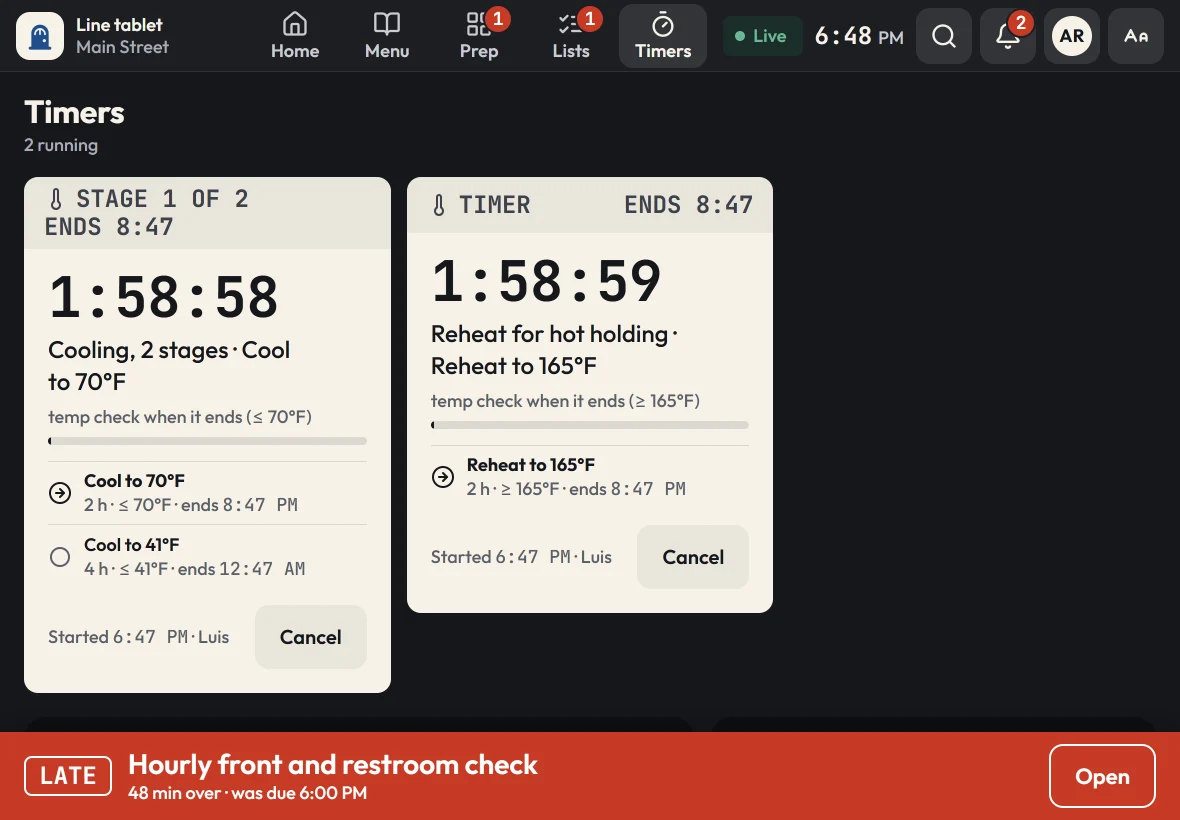
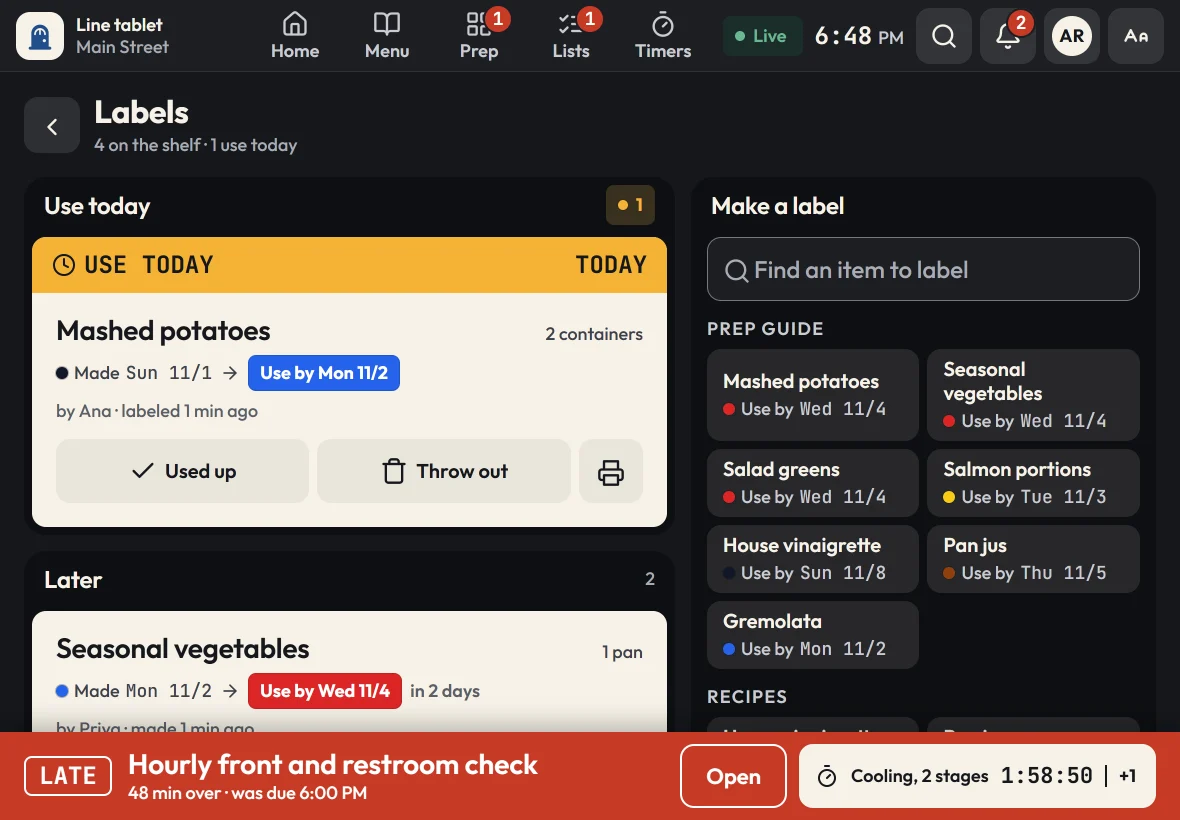
Cooling timers that ask for temperatures, use-by labels, and a log with a name on every reading.
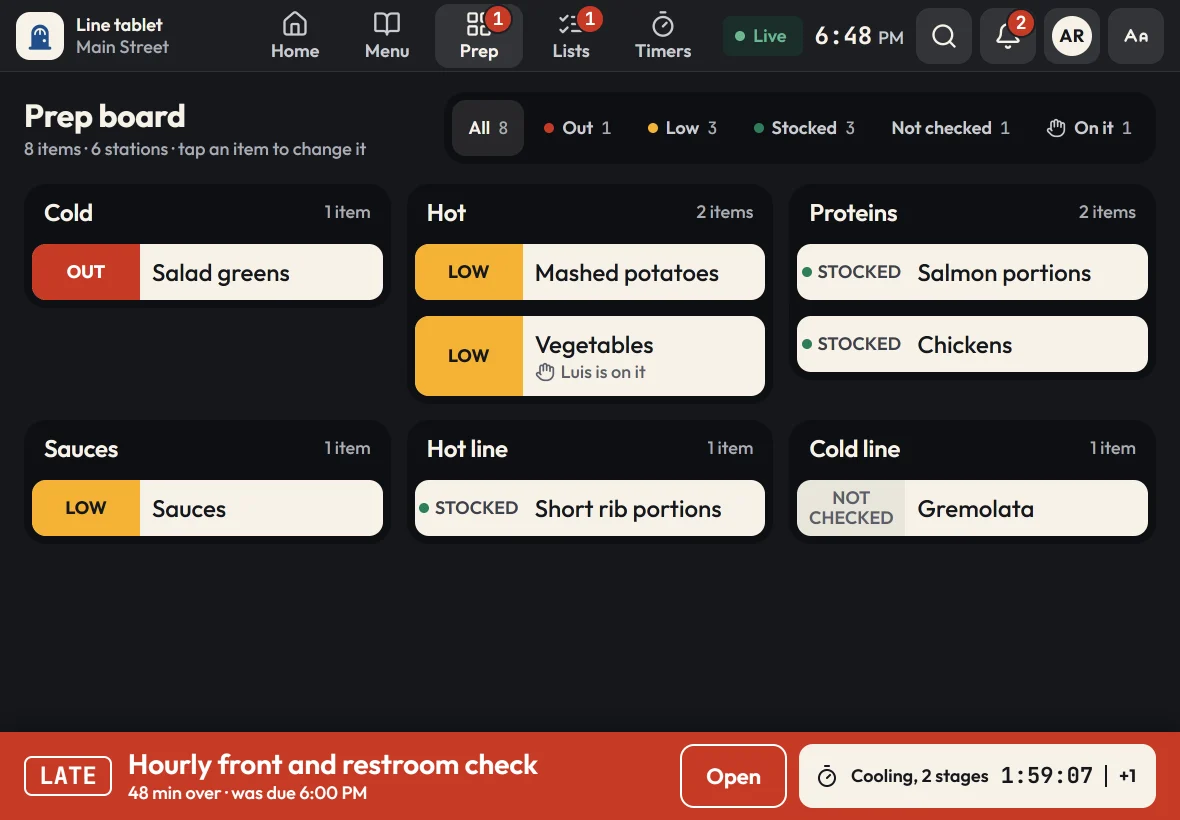
A live prep board by station, with pars, counts and who's on it.
One step per screen for line cooks, with the parts and amounts for that step.
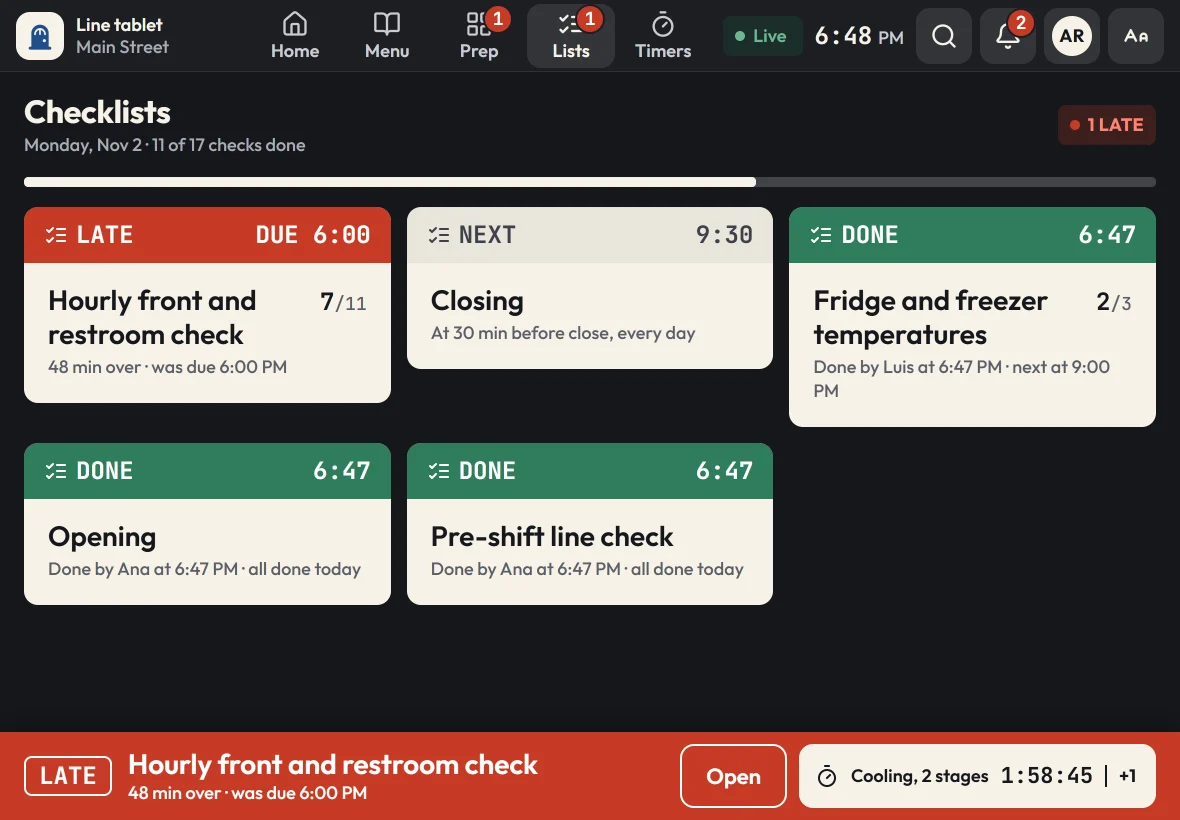
Lists that come due on time at every location, signed with a name.
For owners
The admin works on any computer or phone. Change something once, and every tablet in every location has it within seconds.
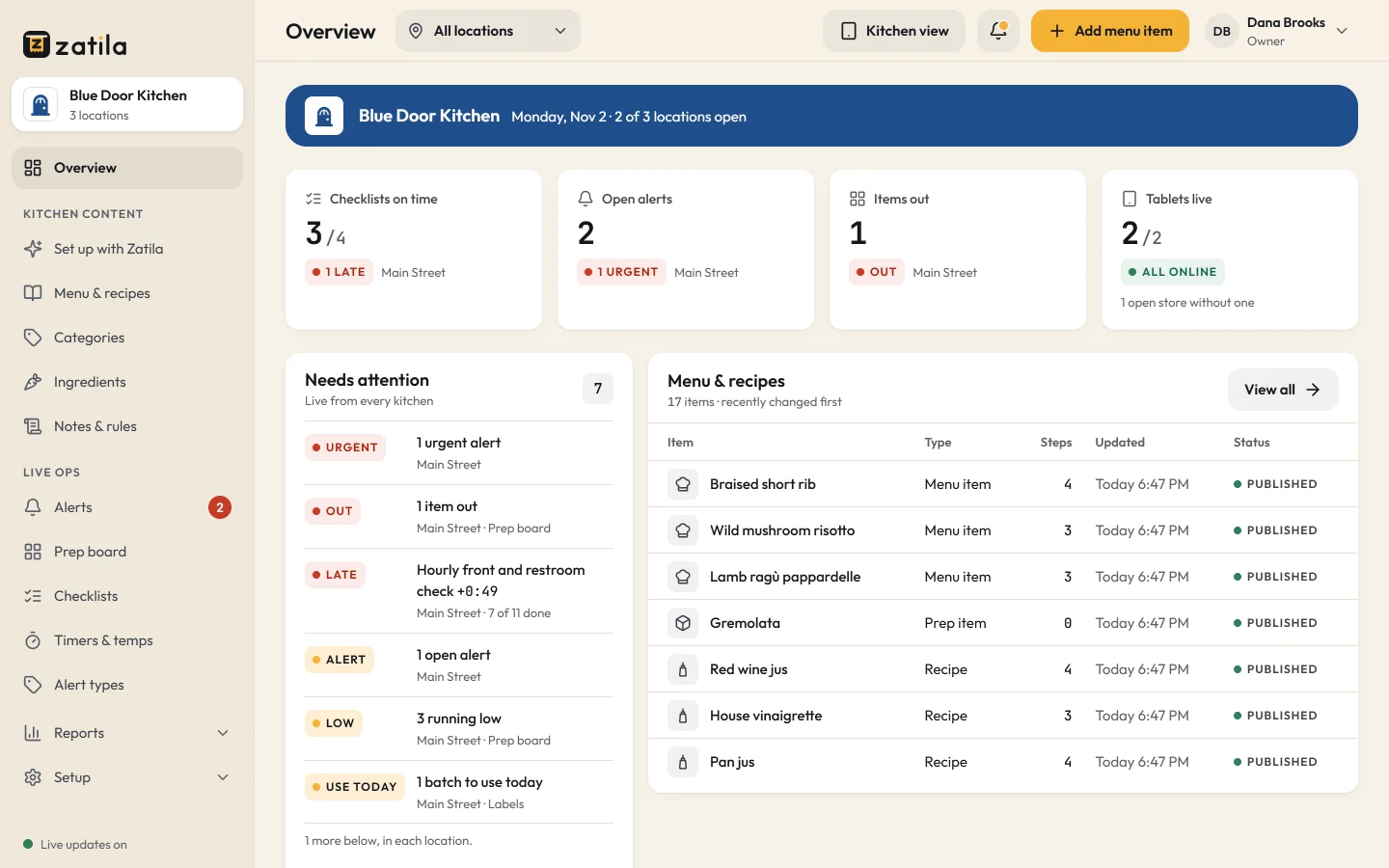
Owner dashboard
See what's late, what's out and which tablets are live across all your locations, as it happens.
Zatila setup
Zatila reads your menus, recipe cards and prep sheets and sets up your kitchen as a draft. Check it, change anything, and add it when it's right.
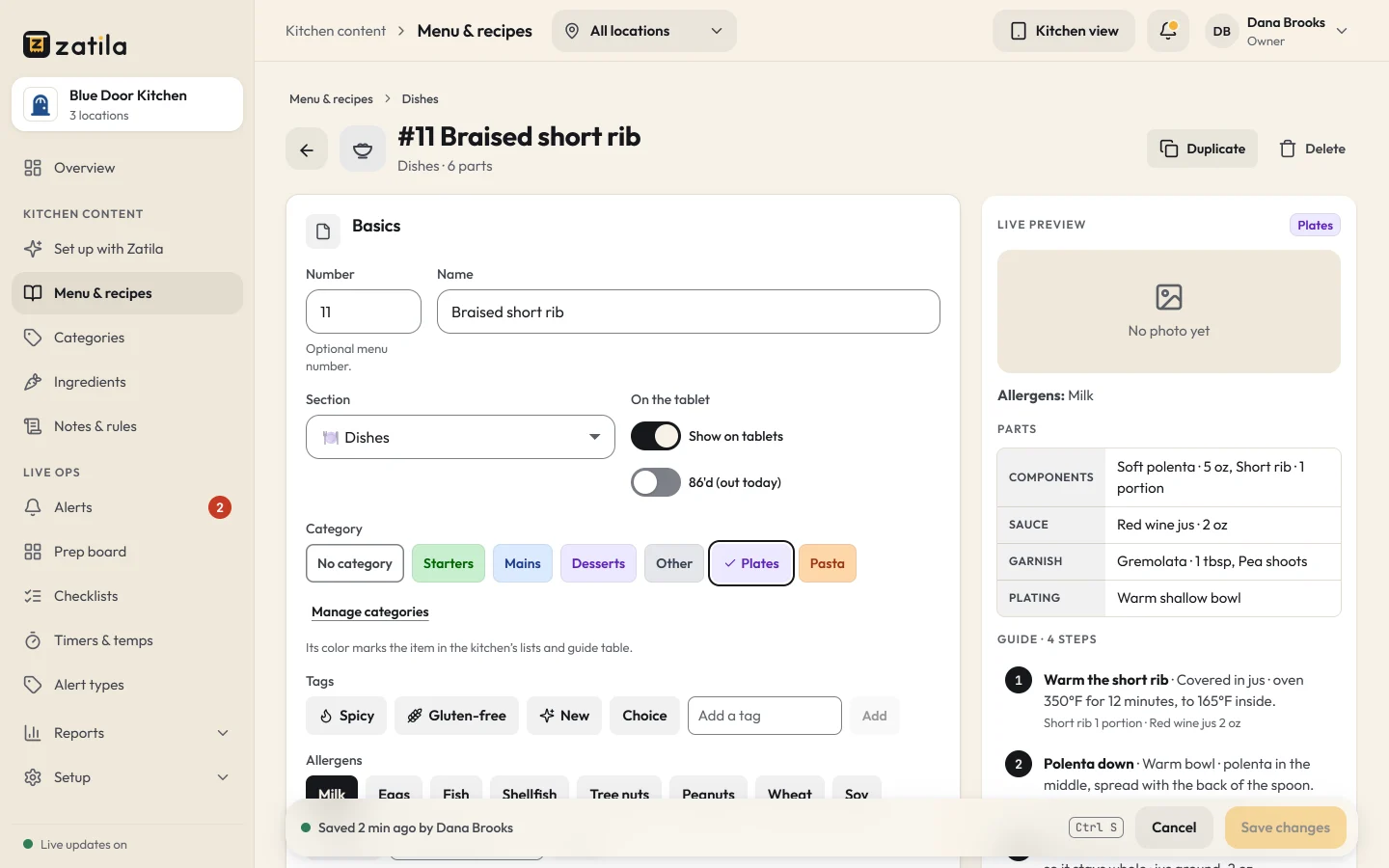
Menu editor
Edit a guide, a recipe or a checklist in the admin, with a live preview of what the line will see.
Built in a real kitchen
Zatila was built with a multi-location restaurant group, on their own line, during real service. If a cook can't read it from the fryer, it doesn't ship.
Pricing
Every plan has every kitchen tool and unlimited tablets. Coming soon and closed locations are free.
For one kitchen getting organized.
$39per location
/ month
$35 from the 5th location, $29 from the 10th
$390per location
/ year
$32.50 a month, billed yearly. $350 from the 5th location, $290 from the 10th
Recommended
For busy kitchens and growing teams.
$69per location
/ month
$59 from the 5th location, $49 from the 10th
$690per location
/ year
$57.50 a month, billed yearly. $590 from the 5th location, $490 from the 10th
For groups with 10 or more locations.
Custom
Coming soon and closed locations are free.
30-day free trial, no card.
Prices in US dollars. Tax is added where it applies.
Any recent iPad or Android tablet with an up-to-date web browser. There's no app store download: pair the tablet once and it opens straight to your kitchen. Most kitchens use a 10- or 11-inch tablet on a wall mount.
Yes. One tap on EN | ES switches a tablet to Spanish, and Zatila translates your own menu, recipes and checklists into kitchen Spanish. You can review and change any translation, amounts and temperatures stay exactly as you wrote them, and records and reports stay in English.
The tablet keeps working. Guides, recipes and timers stay on screen, and every change is saved on the tablet and syncs as soon as the connection is back.
No. Zatila copies them from your files, and you review everything before your team sees it.
You get 30 days with every feature, and no card is needed to start. Choose a plan whenever you're ready.
Yes. Cancel from Billing in your admin, and your kitchen keeps working until the end of the period you've paid for. You can download a full copy of your kitchen's content whenever you like.
Upload the files you already have, check what Zatila sets up, and pair your first tablet. Cancel any time.